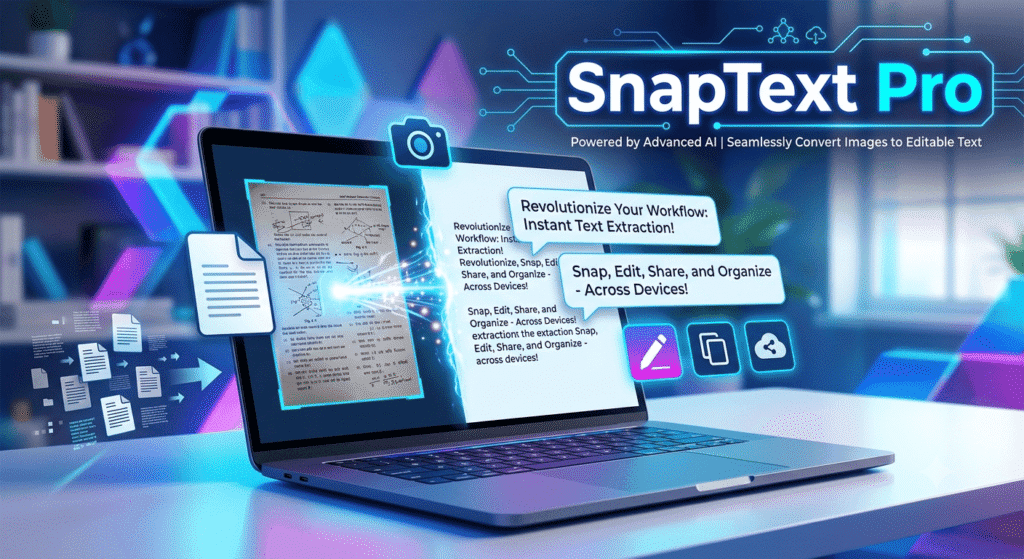
SnapText Pro Keya Hai? Iss Revolutionary OCR Tool Ki Poori Jankari
Aaj ki digital duniya me speed aur accuracy sab kuch hai. Chahe aap ek student ho, freelancer, content creator, ya kisi corporate company me job karte ho—documents, images aur PDFs ke sath deal karna har kisi ke daily routine ka hissa ban chuka hai. Lekin kya aapne kabhi socha hai ki kisi printed document, hand-written note, ya image ke text ko type kiye bina digital text me kaise convert kiya jaye?
Yahi par entry hoti hai SnapText Pro ki! Iss article me hum baat karenge ki SnapText Pro kya hai, yeh kaise kaam karta hai, iss ke features kya hain, aur kyun yeh tool aapke daily workflow ko 10x fast bana sakta hai.
SnapText Pro Kya Hai?
SnapText Pro ek advanced Optical Character Recognition (OCR) aur text manipulation software hai. Yeh software aapko kisi bhi image, scanned document, screenshot, ya PDF file se text ko instant extract karne ki azadi deta hai.
Pehle jab hume kisi paper ya image se text computer me chahiye hota tha, toh hume use line-by-line manual type karna padta tha. Iss me hours waste hote the aur typing mistakes ke chances bhi bohot zyada hote hain. SnapText Pro iss poore process ko seconds me automate kar deta hai. Bas ek click kijiye, image ko snap kijiye, aur aapka text edit hone ke liye ready!
SnapText Pro Ke Top Key Features
SnapText Pro sirf ek ordinary OCR tool nahi hai, balki iss me kaafi saare smart features built-in hain jo ise baki tools se alag banate hain:
1. High-Precision OCR Engine
SnapText Pro me ek powerful AI-driven OCR engine diya gaya hai. Yeh blurred images, low-resolution photos, aur alag-alag fonts ke text ko bhi lagbhag 99% accuracy ke sath read kar leta hai.
2. Multi-Language Support
Yeh software 100+ languages ko support karta hai. Chahe text English me ho, Hindi, Spanish, French ya kisi aur language me—SnapText Pro bina kisi issue ke ise quickly parse kar leta hai.
3. Screen Capture & Instant Text Extraction
Iska “Snap” feature sabse unique hai. Aap apne desktop ya mobile screen par chal rahe kisi bhi video, presentation, ya locked document ka screenshot lekar direct text copy kar sakte hain.
4. Handwriting Recognition (ICR)
Manual notes ko convert karna sabse mushkil kaam mana jata hai. SnapText Pro ka Intelligent Character Recognition system hand-written notes ko bhi clear digital text me badal deta hai.
5. In-Built Translator & Formatting Tool
Text extract karne ke baad aapko kisi alag translation app par jane ki zarurat nahi hai. SnapText Pro ke andar hi translation aur basic text formatting options mil jate hain.
SnapText Pro Kiske Liye Best Hai?
Yeh software har uss insaan ke liye lifesaver hai jo digital documentation ke sath kaam karta hai:
- Students aur Researchers: Books, research papers, aur teacher ke whiteboard notes ko instantly PDF ya Word file me convert karne ke liye.
- Content Creators aur Bloggers: Graphics, infographics, ya social media posts se quotes aur reference text fast capture karne ke liye.
- Data Entry Professionals: Hours ki manual typing ko seconds me complete karke apna burnout bachane ke liye.
- Business Owners & HRs: Physical invoices, receipts, aur legal contracts ko digitized aur searchable banane ke liye.
SnapText Pro Ke Advantages (Kyun Use Karein?)
- Time-Saving (Samay Ki Bachat): Jo kaam karne me pehle 2 ghanate lagte hain, SnapText Pro ki madad se wo 2 minute me ho jata hai.
- Error-Free Results: Manual typing me mistakes hone ka chance rehta hai, lekin iss software ki AI precision human errors ko bilkul khatam kar deti hai.
- User-Friendly Interface: Iska user interface (UI) itna clean aur simple hai ki koi non-technical person bhi ise bina kisi training ke easily use kar sakta hai.
- Data Privacy & Security: SnapText Pro aapke documents ko local drive par process karta hai, jis se aapka sensitive data secure rehta hai aur cloud leak ka khatra nahi hota.
Step-by-Step: SnapText Pro Ko Kaise Use Karein?
SnapText Pro ko use karna behad aasan hai. Bas in simple steps ko follow karein:
- Install aur Open Karein: Pehle SnapText Pro software ko apne device me launch karein.
- Select Capture Mode: Aap image file upload kar sakte hain, PDF drag-and-drop kar sakte hain, ya screen capture shortcut key press kar sakte hain.
- Select the Area: Screen par jitne part ka text chahiye, use cursor se highlight karein.
- Process & Copy: Software instant text extract karega. Ab aap ise Copy, Edit, Translate, ya Export (Word/TXT/PDF) kar sakte hain.
Final Verdict: Kya Aapko Yeh Software Lene Chahiye?
Agar aapka daily kaam read-and-write ya documentation se juda hai, toh SnapText Pro aapke liye ek must-have productivity tool hai. Yeh na sirf aapka kimti samay bachata hai balki aapki daily efficiency ko ek naye level par le jata hai.
Unnecessary manual typing ko bye-bye bolo aur smart work apnao. SnapText Pro ko aaj hi try karein aur apne workflow ko super-fast banayein!
SnapText ko Activate kese Kare?
SnapText Pro ek web app hai, isliye ise download karne ki zaroorat nahin hai. apna givaway license activate karne ke liye, SharewareOnSale givaway registration page par jayen aur 'CLAIM YOUR GIVEAWAY' par click karen. phir apne email address ka istemaal karke ek naya user account banaen. agar aapse email verifai karne ke liye kaha jaye, to aap ise 'SKIP' kar sakte hain aur phir apne naye account ki jankari (yani email aur passward) ka istemaal karke log in kar sakte han. log in karne ke bad, 'ACTIVATE GIVEAWAY CODE' wale section ke bagal mein maujood neele 'ACTIVATE' button par click karen. givaway activation code us section mein pehle se bhara hona chahiye, lekin agar wah field khali hai, to 'ACTIVATE' par click karne se pehle us field mein 'SNAP-SOS-GIVEAWAY' dalen.
'ACTIVATE' par click karne ke turant bad, home screen par ek confirmation message dikhna chahiye jisme likha ho "Your SharewareOnSale Giveaway Edition is already active." bus ho gaya. maza len!